
Orange booth
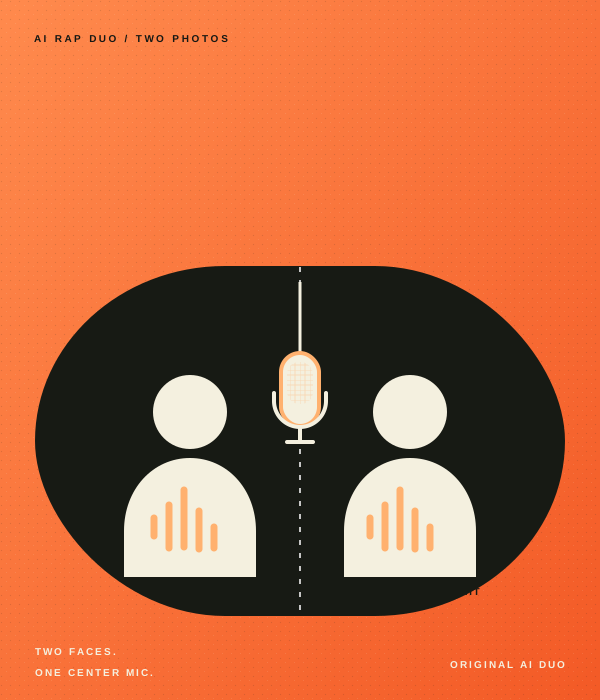
A clean orange backdrop keeps the focus on the duo and gives the Hotel Lobby AI trend its bold visual cue.
Hotel Lobby AI Trend / DUO
Make your own take on the Hotel Lobby AI rap duo trend. Add two photos to an orange booth scene with one hanging mic, then choose the settings for your video.
STEP INTO THE STUDIO
Loading the studio…
THE HOTEL LOBBY AI TREND
The default is a 15-second vertical video at 720p. Choose the duration, resolution, frame shape, and AI audio setting in the generator.
A clean orange backdrop keeps the focus on the duo and gives the Hotel Lobby AI trend its bold visual cue.
A single hanging microphone sits between the performers as the center point of the scene.
Photo one guides the left performer and photo two guides the right. The prompt asks them to trade turns and react to each other.
TREND ORIGIN / DOCUMENTED MILESTONES
The visual source is Quavo and Takeoff’s June 17, 2022 A COLORS SHOW performance of “Hotel Lobby,” filmed against a flat orange set with one hanging microphone. Know Your Meme notes the original had passed 121 million YouTube views by late September 2026. The AI remix wave came years later. XXL reports that early TikTok versions appeared to feature two cats, while Know Your Meme documents a September 16 edit featuring characters from Suits. The first AI remix has not been verified, so the timeline below distinguishes the original performance from reported and dated remix examples.
Quavo and Takeoff perform “Hotel Lobby” on A COLORS SHOW, trading verses beside one hanging microphone against a vivid orange backdrop. The staging becomes the visual reference for the later AI trend.
Watch the original COLORS performanceXXL reports that early TikTok versions appeared to show two cats recreating the performance. The exact starting post is unclear, so this is an early reported example rather than a confirmed first remix.
Read XXL’s trend reportKnow Your Meme records a TikTok edit that puts Harvey and Mike from Suits into the booth. It is a dated early example in the archive, not proof that it was the first AI remix.
See Know Your Meme’s timelineA cat version appears on X as the edits move beyond TikTok. Know Your Meme’s spread log shows how quickly the two-performer setup became a flexible meme format for animals and other pairs.
View the documented spreadAs the AI versions spread, Quavo reposts the unaltered COLORS performance and calls it “The Original.” Complex covered the repost alongside the wave of edits featuring cats, celebrities, and fictional characters.
Read Complex’s coverageThe remixes widen to include friends, animals, celebrities, athletes, and fictional characters. Complex’s trend coverage captures how the same orange booth and shared mic became a format people could recast with different duos.
Read Complex’s trend explainerSAMPLE GENERATIONS / DUO RAP
Every AI-generated take is unique. Preview finished videos before you make your own.
PHOTO PREPARATION
Upload one well-lit photo per performer, with a clear and unobstructed face. Add the left performer first and the right performer second. Simple backgrounds and natural poses help keep attention on the duo. Only use photos of yourself or people who gave permission to animate their likeness.
Add this photo first. It guides the performer on the left.
Add this photo second. It guides the performer on the right.
TEMPLATE QUESTIONS
Answers about the Hotel Lobby AI trend, two-photo setup, video settings, and generated audio.
Hotel Lobby AI is a two-person rap video format built around an orange booth, one hanging microphone, and a back-and-forth performance. This generator makes an independent AI take from two photos.
Choose Hotel Lobby AI in the generator, add one clear photo per performer, then adjust the duration, resolution, aspect ratio, and AI audio setting. Photo one guides the left performer; photo two guides the right. Review the credit cost before generating.
Use one well-lit photo per person with a clear, unobstructed face. Add the person you want on the left first and the person for the right side second. Only upload photos you have permission to use.
Yes. Add the left performer first and the right performer second. The prompt uses that order to guide each person’s position, though generated results can vary.
The default is 15 seconds, 720p, and vertical 9:16. Before generating, you can choose 10 or 15 seconds, 480p or 720p, 9:16 or 16:9, and turn AI audio on or off.
Yes. The default 9:16 aspect ratio is vertical and suits phone-first formats such as TikTok, Instagram Reels, and YouTube Shorts. You can also select 16:9 before generating.
No. This is an independent AI interpretation of the orange-booth rap duo format. It is not affiliated with or endorsed by COLORS, any artist, or their rights holders.
No video generator can guarantee views or virality. This template gives you an original take on a recognizable rap duo format that you can review and share on your own channels.
TWO PHOTOS. ONE SHARED MIC.